Information |
| Login |
| Contact |
| Privacy/Terms of Use |
System Interface |
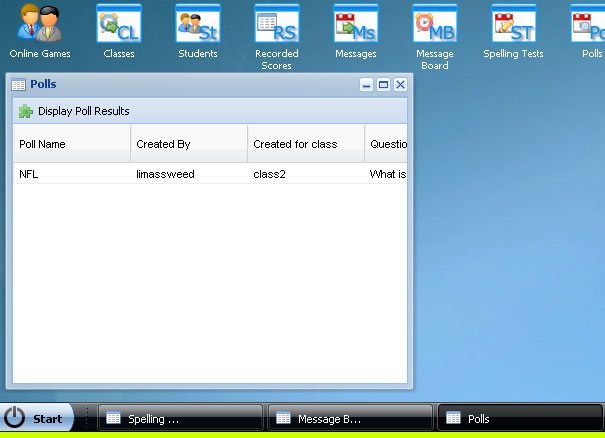
MrNussbaum Premium was designed to resemble the Windows operating system desktop for many PC computers. Each new window that appears after an icon is clicked can be minimized, maximized, resized, and dragged anywhere on the screen. When the window is minimized it appears at the bottom of the screen. See below: |
|
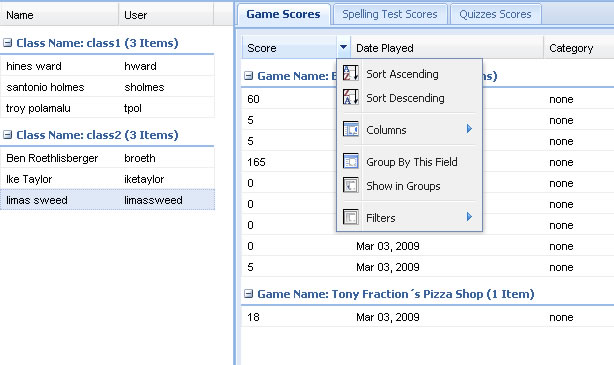
In addition, all lists on MrNussbaum Premium Silver including student lists, high score lists, game scores, and quiz scores can be sorted in a variety of different ways. For example, if you wanted to sort all of the scores a particular student achieves on a game, you could sort in ascending order, descending order, by groups, filters and more with a simple click. Similarly, you can sort large sets of test grades, spelling test grades, or game scores in the same way. See below:
|
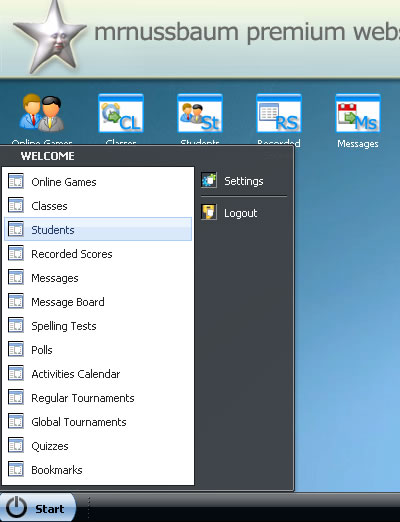
Use the "start" button at the bottom of the screen to quickly access a section of MrNussbaum.com, or, to logout.
|