 |
Register
unlimited classes. Now
teachers have no limits on the number of classes that
can be registered. Teachers can register as few as one class
or as many as one hundred classes |
 |
Register unlimited
students. Now teachers
have no limits on the number of students that can be registered
in each class! |
 |
Organize and
Analyze Student Scores and Statistics Sort, organize,
and export student scores, results, an statistics on games,
quizzes, or tests in any way you wish. |
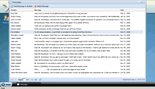 |
Manage the Student and Teacher
Messaging System Teachers control the messaging
system which allows them to send messages to classes or individual
students, for students to send messages to teachers, and
for students to send messages to each other. The student-to-student
message system is disabled by default. Teachers must manually
enable it for each student. |
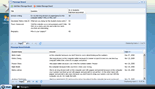 |
Create Message Boards for your
Students to Respond to Use the message board system
to post a question for your students to respond to in a blog-like
setting. Message boards are perfect for generating captivating
discussions and for students to read and analyze the opinions
and ideas of their classmates. |
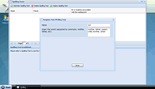 |
Never Grade Another Spelling
Test Again if you have regular access to the computer
lab or mobile laptops, the online spelling test feature is
extremely useful. Simply enter the spelling words and then
deliver the oral spelling test in the order you entered the
words. Students type the words into their online spelling
test form and click "send" when they are satisfied.
Tests are instantaneously graded. |
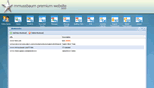 |
Create a Bookmark Library for
selected Websites No more wasting time while studens
type in the urls. |
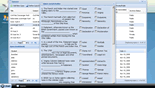 |
Make online quizzes in five different
formats MrNussbaum Premium allows teachers to create
and deploy quizzes in five different formats: multiple choice,
true and false, short answer, essay, and super quiz. A super
quiz allows the teacher to combine question types. Student
grades are kept in a handy gradebook where statistics relating
to the quiz are organized and available in colorful graphs. |
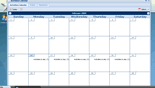 |
Make activities
and events calendars for studentsThe customizable
events calendar is one of the most useful features of MrNussbaum
Premium. You can organize the entire year for students, who
simply click on a calendar date to see events,
long-term assignments, short-term assignments, birthdays,
holidays, and anything else you wish to include. |
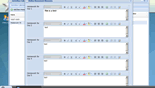 |
Make online assignment sheets
for students Save paper by sending assignment sheets
directly to student accounts, Assignment sheets can be customized
with specific fonts, font sizes, colors, and other html features.
You can even include links to other sites of interest within
the assignment sheets. |
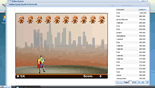 |
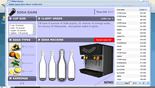
Preview and play any of the 29
available games Please note that not all of the
games on MrNussbaum.com are available of MrNussbaum Premium
Silver
|
 |
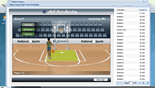
Set up game tournaments for students
to compete in Students in your class can battle
each other until only one student is left standing. The tournament
section allows students and students to view scores and tournament
progress in real-time and allows teachers to choose tournament
matchups and to edit scores. |
 |
Have your class compete against
other classes so that your classroom cam battle
other classrooms across the world in any of the 29 available
games. Classes can battle any other
classroom across the world registered with MrNussbaum Premium.
In this case, class size is inconsequential as the class
with the highest average score wins. Teachers can also set
up tournaments to that one of his or her classes battles
the other. |
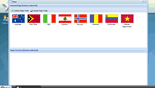 |
Help students earn flags. The
MrNussbaum Premium student flags system rewards students by
awarding a flag for every five games played that results in
a score higher than zero. Flags are displayed in the student
flag portfolio and duplicate flags are rewarded for students
to trade with other students. Help students earn all flags
by encouraging them to practice skills using the games. |
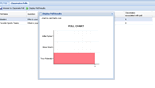 |
Manage the student poll center. MrNussbaum
Premium allow students to create polls and send them to their
classmates to answer. |