Information |
| Login |
| Contact |
| Privacy/Terms of Use |
Adding a Class |
Adding a class is the first thing you should do when
you log in to your account. Once you add a class, or multiple classes,
you can add your students to those classes. Adding classes is very easy.
See the steps below. |
| Step 1.) Log on as a teacher and click on the "classes" icon. |
Step 2.) Click on "Add New Class."
|
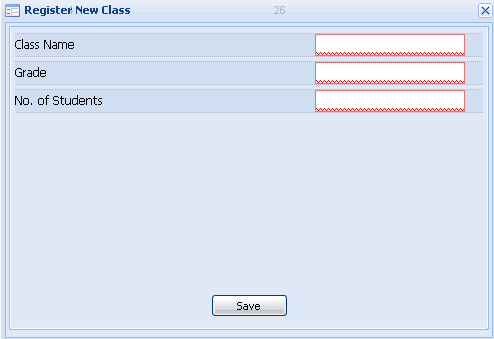
Step 3.) Fill out the information for the class and click "save." Although you are required to indicate the number of students you wish to add to the class, you can always add more at any time.
|