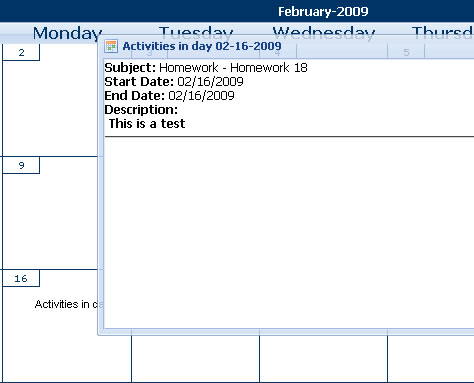
The Classroom Calendar is a valuable tool that teachers can use to organize
the school year. Teachers can create a calendar with events, homework
assignments, projects, reminders, birthdays, holidays, and anything else.
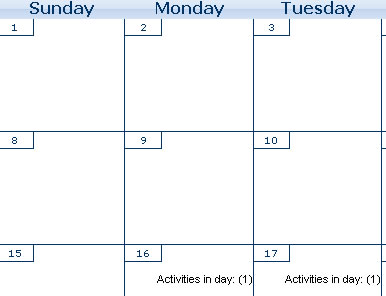
Teacher-created calendars appear in the "Activities Calendar" section
of student accounts.
Step 2.) Click on the activities calendar icon from the teacher
account desktop. Your calendar will appear.
Step 3.) Click on the "events" tab.
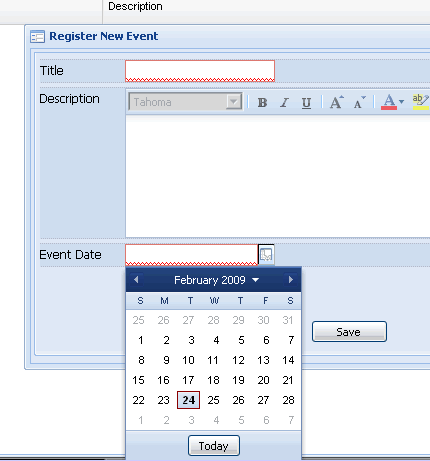
Step 4.) Fill out the information for the event you wish
to add to student calendars. You can customize the appearance
of the event by changing fonts, alignments and more. Use the
date picker to choose the date of the event. Then click "save."
Step 5). Click "Deploy
Event."
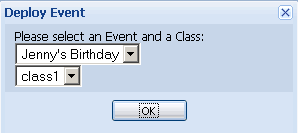
Step 6.) Choose the event to deploy and the class to deploy
it to. Click "OK"
How do Students Check Their Calendars
Step 1.) Log in as a student and click the calendar
icon.
Step 2.) Click the "events" tab.
Step 3.) Click any day that reads "click here." Your teacher has deployed assignments, announcements, or events for these days.