Home User Support

The Home User Account is for parents and their children. The home user account allows for one subscription and has less features than the teacher account. As part of the home user account, the subscriber can play all of the 29 available games, have all scores and statistics for game play recorded, and earn world flags.


Getting Started
To register and pruchase a home user subscription, visit www.mrnussbaumpremium.com and click on "Register Home User Account." Then, fill in the required information and pay for your subscription via paypal by using your credit card. If you would rather pay by personal check, please make note of the address on the payment page. Once you register and pay, you can use your subscription immediately!
 
What are the games?

There are 27 games available for use on MrNussbaumPremium.com. See the details below:

  • Tony Fraction's Pizza Shop - equivalent fractions
  • Clara Fraction's Ice Cream Shop - Mixed Numbers/Improper Fractions
  • Death to Decimals - Converting Fractions to Decimals/Vice Versa
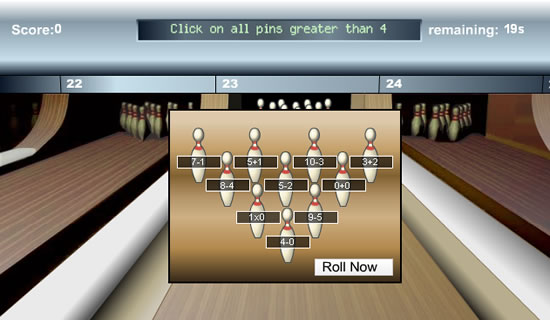
  • Bowling Pin Math - Comparing numbers and addition/subtraction equations
  • Teacher Dodgeball - Difficult addition and subtraction equations
  • Half-Court Rounding - Rounding tens, hundreds, tenths
  • Speed Math - Addition, subtraction, division, and multiplication facts
  • Custom Speed Math - Same as Speed Math but you choose the tables
  • Cash Out - Counting Money
  • Scottie Nickel - reducing coin amounts
  • Bedtime Bandits - Telling Time
  • Clockworks - Telling Time, four difficulty levels including elapsed
  • Artie Ounces - Metric Volume Conversions
  • Matthew Metric - Metric Length Conversions
  • Math Fries - Addition, Subtraction
  • World Cup Math - Addition, Subtraction, Multiplication, Division
  • Everglades Spelling - Spelling, Phonics
  • Hawkabulary - Vocabulary Fill-in the Sentence
  • Word Scramble - Word Identification, Unscramble the words
  • Conquer the Continents - Country Identification
  • Conquer the States - State Identification
  • Where is Mr.Nussbaum? U.S. Geography/Capitals/Landmarks Identification
  • Follow the States - Memory (like Simon, but with states)
  • Garage Sale Wizard - Comparing amounts of money
  • Place Value Pirates - Place value with and without decimals
  • Stock the Shelves - Coordinate Grid
How does a home user play the games?

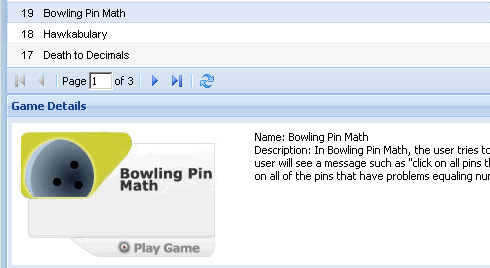
Step 1.) Students should log on and click the "online games" icon. Simply click on one of the games to read description. Then, click "play game." To see more games, use the arrows or type a page number in as shown below.

How does a home user check scores?
Step 1.) Log in as a home user and click the "recorded scores" icon.  
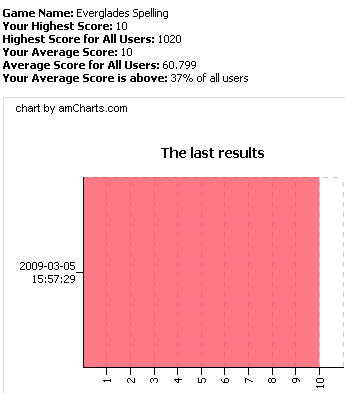
Step 2.) All student activity is recorded here. Click the actual score of interest (in the above example '10') to see additional details and graphs concerning the data.
Flags
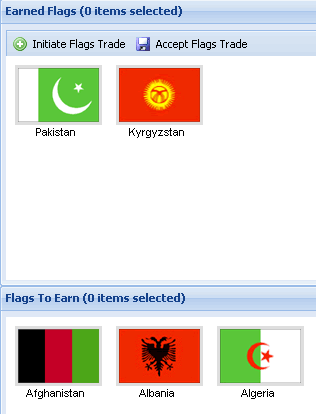
Students earn a world flag for every five games they play on MrNussbaum.com in which they achieve a score that is not zero. The object is to collect all of the 175 available flags. The home user account does not allow users to trade flags with each other.
Step 1.) Log on as a school user and click the "flags" icon. Student flags are located in the top panel under "earned flags." The panel below shows all flags yet to be earned.