|
| Step 1.) Register as a "School Manager" on the home
page of MrNussbaumpremium.com. Make sure you have an accurate count
of the number of teachers you wish to register as this will determine
the price. |
 |
Step 2.) After you register
as a "School Manager," you will
receive an invoice within 24 hours. Purchase orders,
credit cards (through Paypal or Google Checkout)
school or district checks, or personal checks are
accepted. Ignore prompts to pay via Paypal on the
website. Your account will be enabled upon payment
or receipt of purchase orders. You will receive
an e-mail when purchase order or payment is received
confirming account activation. All purchase orders
and checks should be MAILED to:
Greg Nussbaum
MrNussbaum.com
47322 Westwood Place
Sterling, VA 20165 |
1-10 Teachers - $30.00 per teacher/per year
11-20 Teachers - $27.00 per teacher/per year
21-30 teachers $24.00 per teacher/pear year
31 + teachers $20.00 per teacher/per year
*Ask for any promotional codes that may be available. |
How do I register teachers? |
| Step 1.) Log in as a "school manager" and
click on the "Registered
Teachers & Students" icon. |
|
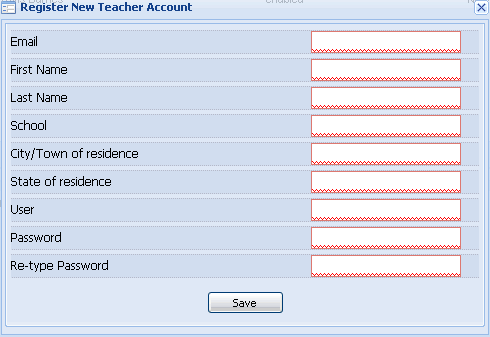
| Step 2.) Click "add new teacher." For
each teacher, fill in the required information. Teachers
will be able to use their accounts immediately after
you register them and will receive a welcome e-mail
within 24 hours. Please make sure e-mail addresses are
accurate. |
|
How do I make classes for teachers? |
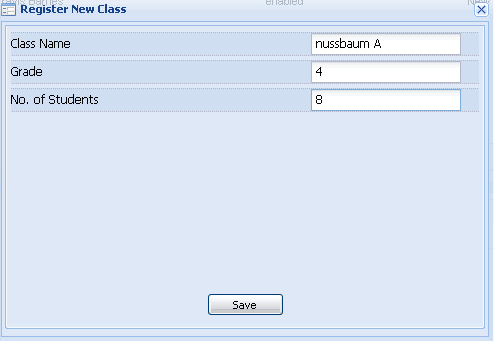
| Step 1.) As you register teachers, you will see them appear in
the "registered teachers" area at the top of the window. To add a
class to a teacher account, click to select the teacher and then
click "add new class for teacher ." Click "save" when finished. Please
note that classes will not appear in any window. You will see them
when adding students to those classes. |
|
|
| Step 1.) Click to select the teacher of interest and then click
"Add new student" at the bottom of the page in the "registered students"
window. |
 |
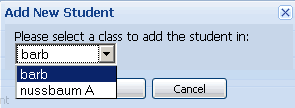
| Step 2.) Select the class to register the student in. |
 |
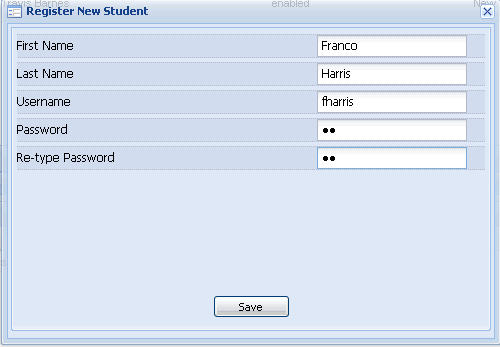
| Step 3.) Enter student information
and click "save." The student has been successfully
registered in the teacher class assigned. |
 |
| As a school manager, you
can add or delete student and teacher accounts, enable or disable
teacher or student accounts or edit teacher or student accounts.
It is up to the teachers and students to do the rest. It might
be helpful, however, to see everything that teachers and students
can do. Click here to see more about
what teachers and students can do on MrNussbaumpremium.com. You
can also click the "help" section from school manager account
desktop to learn more. |